Room AI guide · September 28, 2026
AI Bedroom Design Ideas: Compare Styles from Your Photo
A bedroom concept should do more than look attractive. It needs to work for sleep, storage, and the way you move through the room. Use AI to explore the visual direction, then evaluate it against the practical needs of your bedroom.
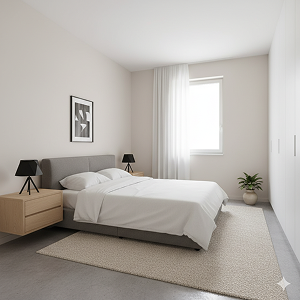
Decide what feels wrong in the current bedroom
Start with one specific problem: the room feels crowded, the colors feel cold, or storage dominates the view. Photograph the room before changing anything, then list the items you expect to keep. A redesign that replaces the bed or moves a window may look appealing while being irrelevant to your budget.
Compare three distinct style directions
| Direction | What to compare |
|---|---|
| Minimalist | A simpler palette, less visual clutter, and fewer focal points. |
| Scandinavian | Light tones, warm textures, and a softer balance of furniture and empty space. |
| Traditional | More defined furniture shapes, layered textiles, and decorative details. |
These are useful comparison prompts, not a promise of a particular output. Use the same source photo for each direction. Look for repeated details you like across the concepts rather than choosing solely by the overall mood of one image.
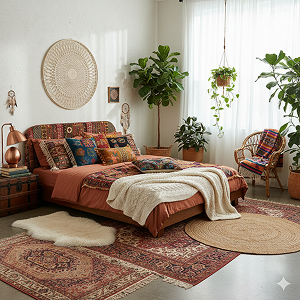
Create your bedroom concept in Room AI
- Choose Interior Redesign from Create.
- Add a clear bedroom photo.
- Set the room type to Bedroom.
- Select a style and palette, then generate.
- Save a direction you like and compare it to a second style.
Take the photo so the bed, important walls, and door or wardrobe are understandable. If your room is small, use a wider view with the phone level. Read the room photo guide if the first photo cuts off major features.
Check access and storage in a small bedroom
Look at the space beside the bed, the route to the door, and the area in front of drawers or wardrobes. The generated image may hide a door swing or make a bed appear smaller. Measure your current furniture and leave enough clearance for how you use it. The image can suggest an arrangement, but it cannot certify those clearances.
Test color in your actual light
A pale palette may look calm in a generated scene but feel different under your lamps or evening light. Before repainting, compare real samples at different times of day. If a concept works because of lighting, separate that decision from the wall color: lamps, textiles, and surfaces all affect how a room feels.
Make a small, practical shortlist
Choose two or three changes you can implement: simplify bedding, add bedside lighting, or reduce visible clutter. Keep the saved concept as a reference for the direction, not a shopping list for exact objects. If the bedroom is empty, the virtual staging guide helps you explore a furnished version. For a broader comparison workflow, see AI room redesign.